

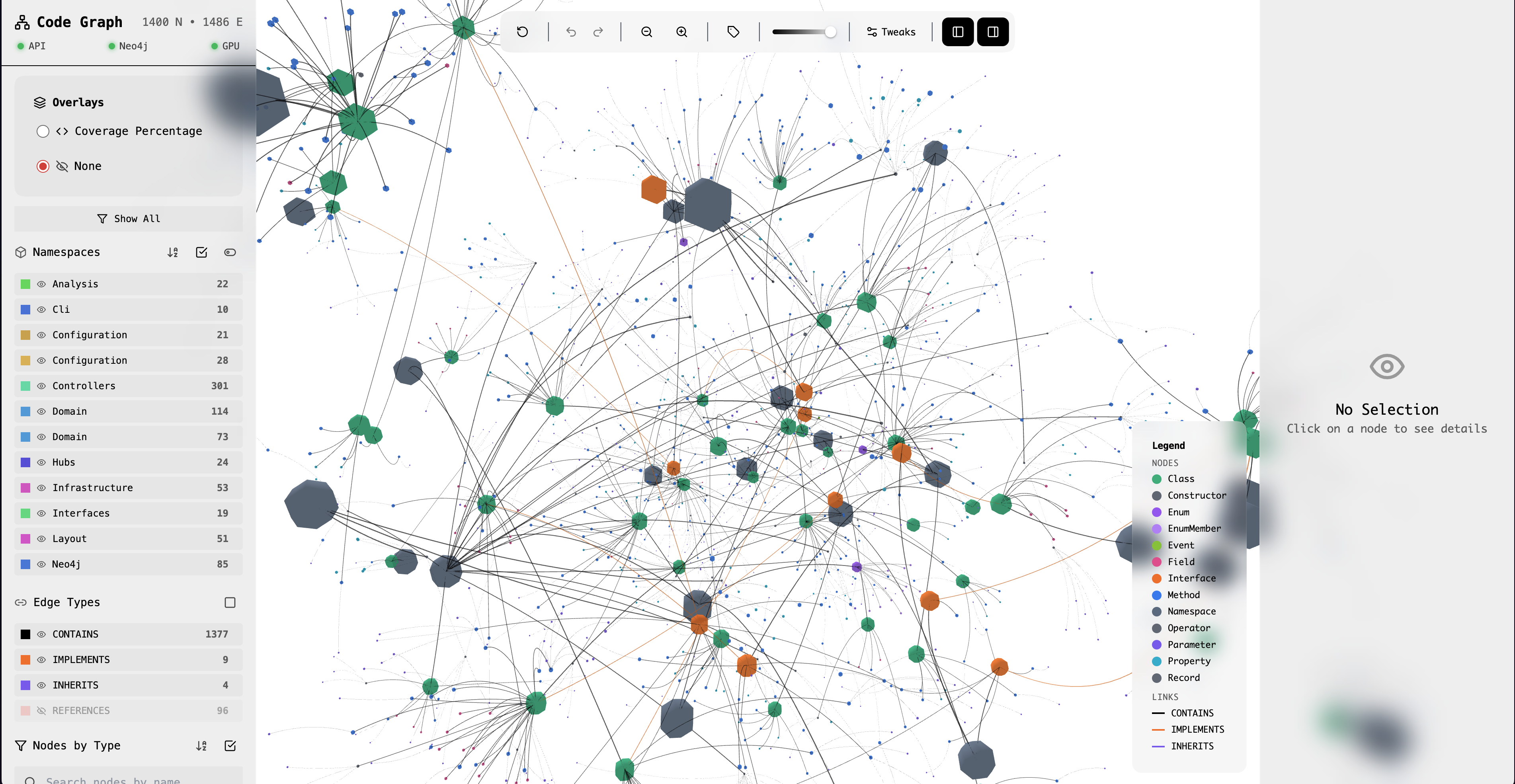
This tutorial walks you through analyzing a real .NET codebase with CodeGraph.
CodeGraph 3D visualization of a codebase
For details on what nodes and edges CodeGraph extracts, see the Analyzer page.

Step 1: Choose a Codebase

For this tutorial, we’ll use a sample project. You can substitute your own .sln file.
# Clone a sample project
git clone https://github.com/dotnet/samples.git
cd samples/core/console-apps
Or use any .NET solution you have locally.

Step 2: Run the Analysis

npx @dotenvx/dotenvx run -- sh -c 'dotnet run --project src/adapters/driving/cli -- analyze /path/to/YourSolution.sln'

Understanding the Output

Analyzing /path/to/YourSolution.sln...

[1/4] Loading solution...
  Found 5 projects:
  - MyApp.Core
  - MyApp.Infrastructure
  - MyApp.Web
  - MyApp.Tests
  - MyApp.IntegrationTests

[2/4] Extracting nodes...
  Namespaces: 23
  Classes: 156
  Interfaces: 34
  Methods: 892
  Total: 1,105

[3/4] Extracting edges...
  Dependencies: 2,341
  Inheritance: 45
  Implementations: 67
  Total: 2,453

[4/4] Saving to Neo4j...
  Clearing existing data...
  Writing nodes... done
  Writing edges... done

Analysis complete!
  Duration: 6.3s
  Nodes: 1,105
  Edges: 2,453

Step 3: Verify in Neo4j

Open Neo4j Browser at http://localhost:7474 and run:
// Count all nodes
MATCH (n:CodeNode) RETURN count(n) as nodes

// See node types
MATCH (n:CodeNode) RETURN n.type, count(*) ORDER BY count(*) DESC

// View a sample class
MATCH (n:CodeNode {type: 'Class'}) RETURN n LIMIT 5

Step 4: Explore Node Attributes

Each node has attributes that you can query:
MATCH (n:CodeNode {name: 'UserService'})
RETURN n.name, n.type, n.filePath, n.namespace
AttributeDescription
nameEntity name
typeNode type (Class, Interface, etc.)
fullNameFully qualified name
filePathSource file path
namespaceContaining namespace
visibilityPublic, Private, Internal
isAbstractWhether class is abstract
isStaticWhether class is static

Analysis Options

Verbose Mode

See detailed progress:
codegraph analyze ./Solution.sln --verbose

Filter by Project

Analyze only specific projects:
codegraph analyze ./Solution.sln --include "*.Core" --include "*.Domain"

Exclude Test Projects

codegraph analyze ./Solution.sln --exclude "*Tests*"

Method-Level Analysis

By default, CodeGraph analyzes at class level. For method-level:
codegraph analyze ./Solution.sln --depth methods
Method-level analysis can produce very large graphs. Start with class-level for large codebases.

Incremental Analysis

For large codebases, you can analyze incrementally:
# First full analysis
codegraph analyze ./Solution.sln

# Later, only changed files
codegraph analyze ./Solution.sln --incremental

Troubleshooting

Make sure you can build the solution normally:
dotnet restore ./Solution.sln
dotnet build ./Solution.sln
  • Exclude test projects with --exclude "*Tests*"
  • Use class-level analysis instead of method-level
  • Check Neo4j memory settings
Some dependencies might not be detected if they’re:
  • Dynamic (reflection-based)
  • In third-party assemblies
  • Loaded at runtime

What’s Next?

Explore the 3D Graph

Navigate and interact with your visualization